
MCP Apps
MCP servers render interactive charts, tables, and forms directly in chat. Hover, click, and export, not just read.
An open-source web client that turns remote MCP servers into configurable AI agents with workspace collaboration, human-in-the-loop safety, and Slack integration built in.
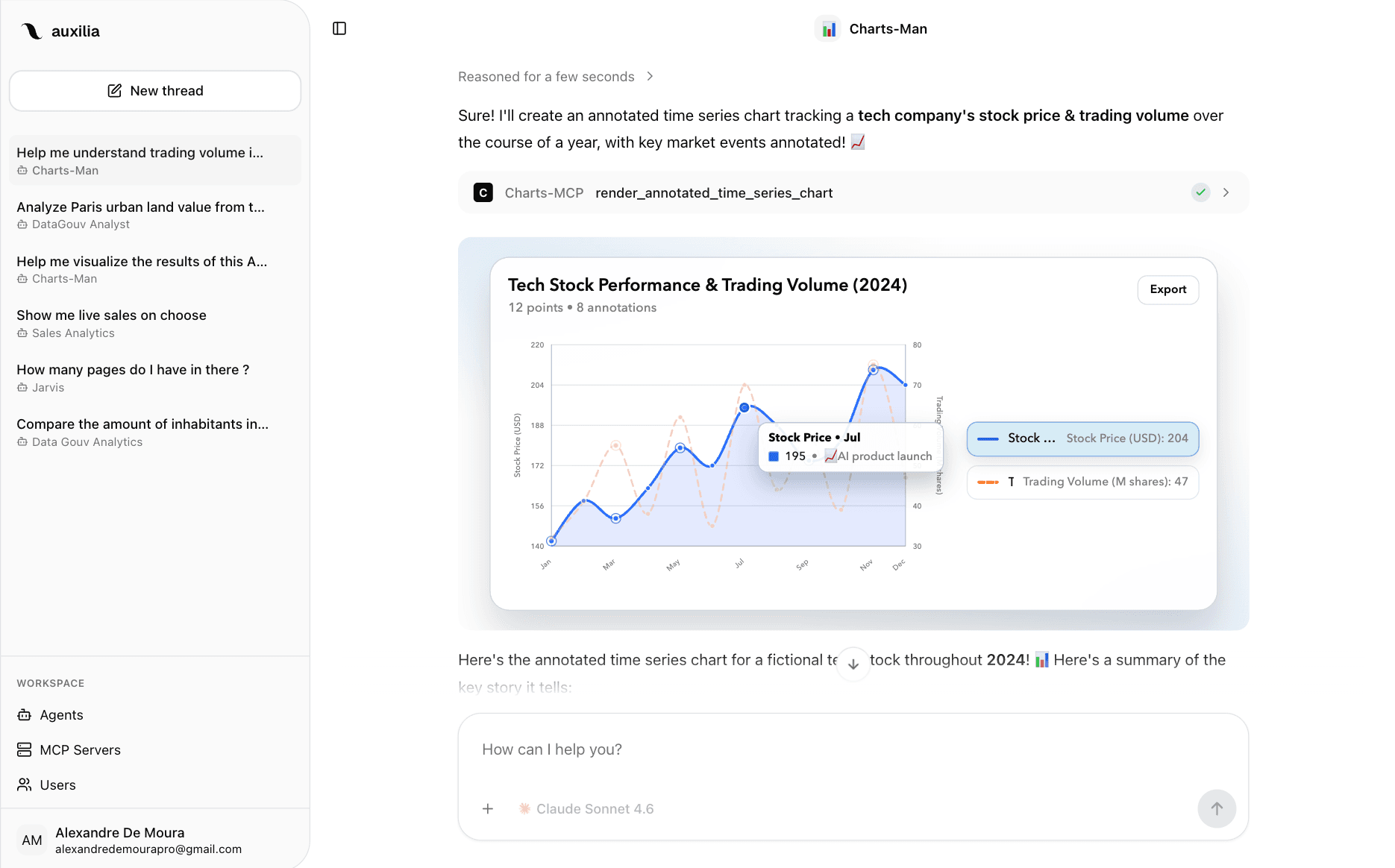
MCP servers render interactive charts, tables, and forms directly in chat. Hover, click, and export, not just read.
Create agents with custom instructions and cherry-pick tools from multiple MCP servers.
Approve or reject any tool call before it runs, with per-tool and per-agent control.
Invite your team, assign roles, and share agents plus MCP servers across the workspace.
Invoke agents and approve tools directly from Slack threads without leaving the conversation.
Monitor costs, tokens, and LLM generations with Langfuse tracing across your agent workflows.
INTERACTIVE AI OUTPUT
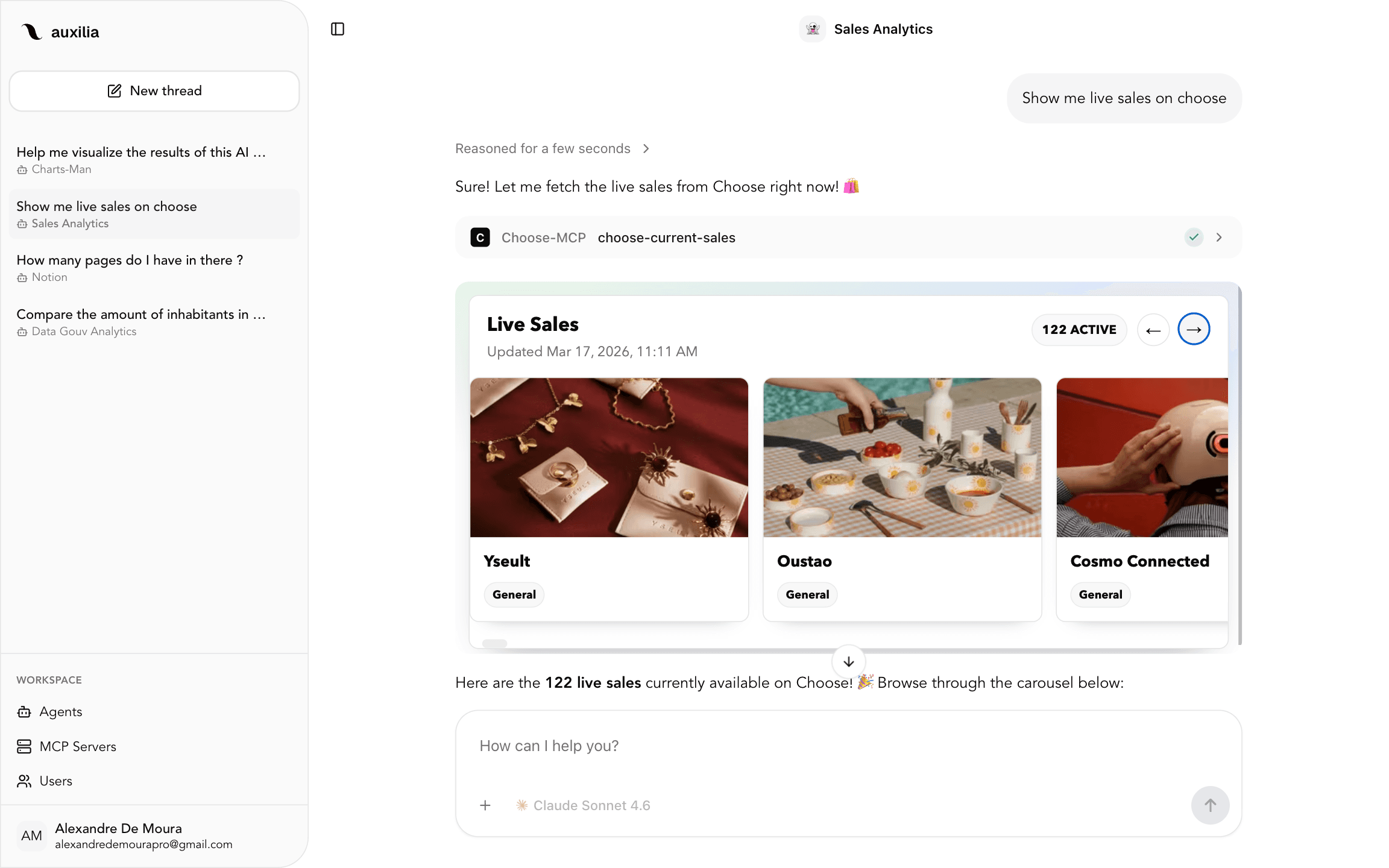
When an MCP server supports the MCP Apps protocol, Auxilia renders rich, interactive UI directly in the conversation. Charts you can hover over, tables you can sort, forms you can fill in, all powered by the MCP protocol and sandboxed for security.
Export any visualization as PNG or SVG with one click. Works with any MCP server that implements the protocol; auxilia handles the rendering, sandboxing, and communication automatically.
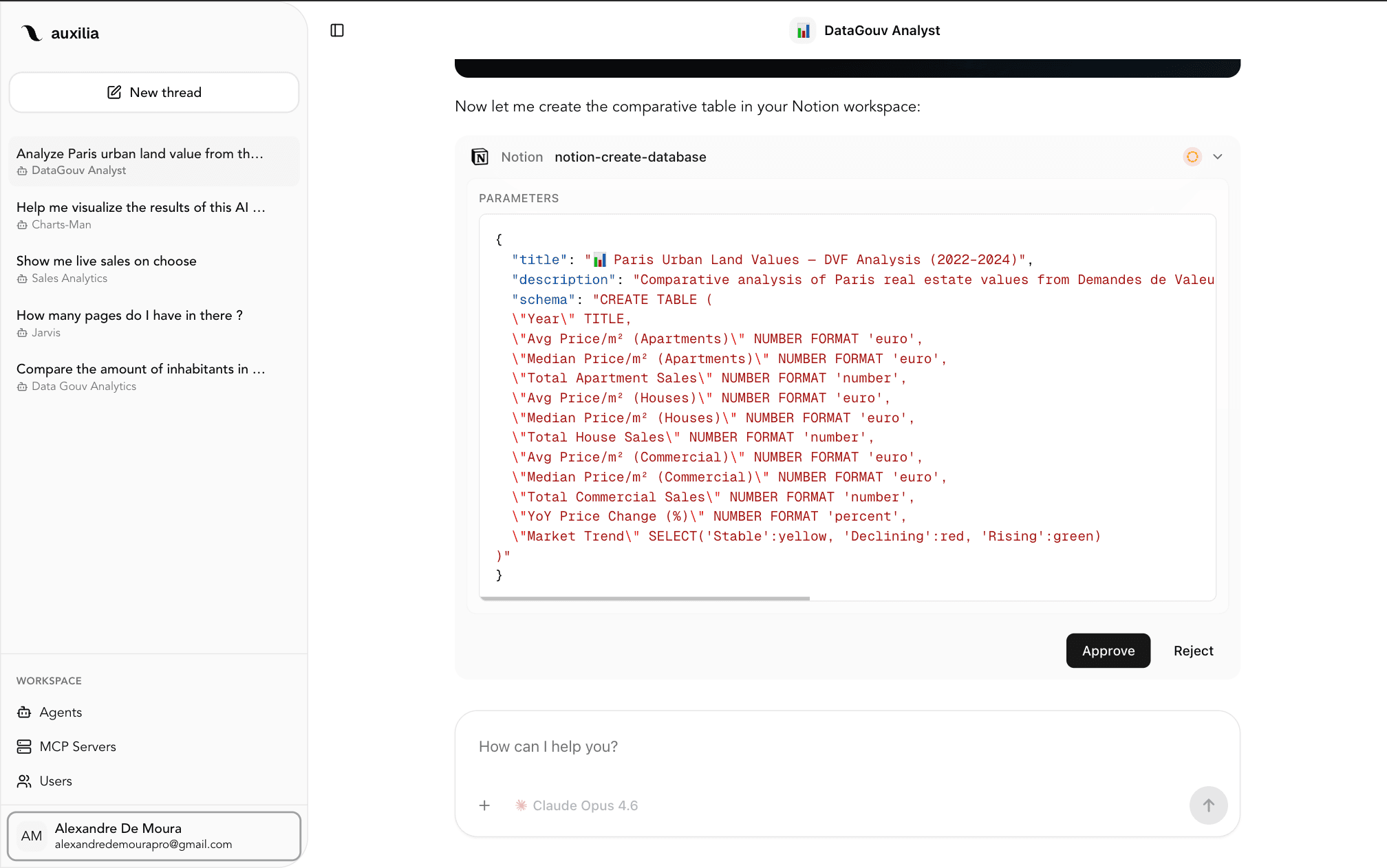
SAFETY & CONTROL
Mark any tool as "always allow", "needs approval", or "disabled", per agent, per tool. When approval is required, Auxilia pauses execution and waits for your explicit go-ahead, with an optional rejection reason.
Works everywhere: in the web UI and directly in Slack threads via interactive approve/reject buttons.
SELF-HOSTED
Run docker compose up and you have the complete platform: PostgreSQL, Redis, FastAPI backend, and Next.js frontend, all wired together with health checks, automatic migrations, and minimal Docker images.
No external dependencies. No SaaS billing surprises. Your data, your models, your rules.
MCP changes how AI agents interact with the world, but the ecosystem still lacks a solid, open web client that teams can self-host and trust. Most MCP clients are desktop-only, single-user, or locked to a single LLM provider. Auxilia exists to fill that gap.
We believe AI agents should be transparent, controllable, and collaborative. Every tool call can require approval. Every model choice is yours. Every piece of data stays on your infrastructure. The MCP protocol means no vendor lock-in on tooling, so you can swap any MCP server without changing a line of code.
Auxilia is AGPL-3.0 and built for teams who want to move fast without giving up control.